



Most operators we talk to have a version of the same question. They want to know how the implementation process will work in practice. Whether it will disrupt their operation. Whether the team they are handing this over to actually understands how their business works.
It is a fair question, and one that deserves a straightforward answer. So let me answer it.
I have been part of the Vita Mojo onboarding team for almost four years. In that time, I have worked on rollouts with operators of all sizes: from single sites getting their first digital ordering setup to multi-site brands migrating away from an existing tech stack. What follows is a straight account of how we work, what we need from you, and where most rollouts run into trouble.
It starts before the project kickoff call
Once an operator signs with Vita Mojo, the first contact comes from us, the implementation associates. We start by sending a Welcome Email to gather the foundations we need to get started: store information, menu information, legal entities – the key details. We then run an initial Welcome & Menu Alignment Call to walk you through the project sheet to understand the business behind the implementation: how the operator works today, what they want to achieve, and what success looks like for them. In the same call, we walk through the project plan and set out what we need from their side to keep everything moving.
In the background, we are already working. Stores are being set up. The menu build has started. We call it getting the bones together. By the time the project manager runs the formal kickoff call, there is already substance to the project.
What we most want to understand in those early conversations is the why. Why Vita Mojo, and what does success actually look like for your business? That shapes everything, particularly the menu.
The menu is never just a tick in the box
One thing we often see is that the menu requires more thought during implementation than operators initially expect. That is a natural assumption: the menu is one task among many during an implementation, and on the surface it looks like a configuration job. Fill in the sheet, hand it over, move on.
But the menu is the first thing your customers see. It determines how your kitchen receives orders. It shapes how your staff interact with the system at every service. The menu needs to be built in a way that scales, so that when you add sites later, you are not rebuilding from scratch.
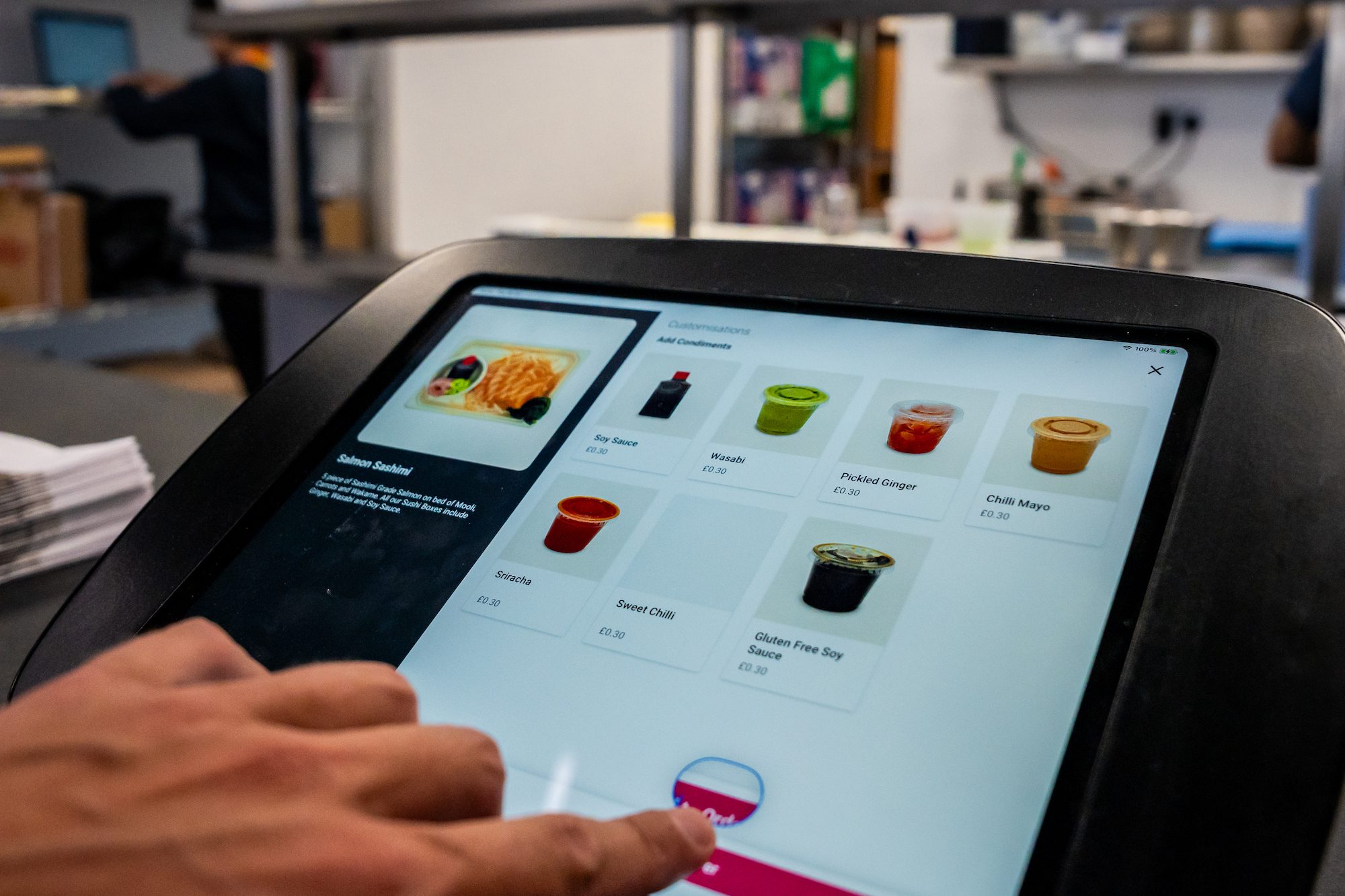
We build every product manually. Every item, every price, every modifier, every upsell option. None of it auto-populates. The quality of the information given at the start has a huge impact on how quickly and smoothly the project moves.
The more challenging part, in practice, is getting that information. Pricing zones are a good example: a store in London often has different pricing from one outside the city. If nobody has thought about that before the project starts, it becomes a conversation we are having mid-build, which adds time. The same goes for modifiers: Do you want extras? Removals? Meal deals? Upsell prompts? These are not afterthoughts. They affect how the order flows through to the kitchen receipt, and they affect what the customer sees at the point of ordering.
Imagery is another area that often evolves as the menu starts to come together. Once they see their menu taking shape in the Vita Mojo system, many want to revamp their photography. We encourage that, because better imagery makes a real difference to conversion. But it adds time, and you need to build that into your schedule if it is something you want to do.
What makes the biggest practical difference is having one person on your side who owns the menu throughout. Not as one of 15 responsibilities, but as their primary focus during the implementation. That person becomes the champion for the project internally. They make decisions quickly, they feed back clearly, and they carry the knowledge into the business once we hand over. When that person exists, the quality of the implementation improves noticeably.
What a good go-live looks like
Testing is where a lot of the confidence for go-live comes from.
Operators often think of testing as finding what is broken. That is not really what it is for. It is about giving everyone – the kitchen team, the front-of-house staff, the person running the site – confidence before a single customer experiences it. Once you test properly, you know it works. And knowing it works means you go into launch with confidence rather than anxiety.
We recommend at least a week before your planned go-live date where the system is essentially ready and you are focused purely on testing. Not making final changes. Not adding new items. Testing. Running orders through. Watching how they hit the kitchen. Checking the front end and back end looks right and runs smoothly.
Having a soft launch makes a noticeable difference. A family and friends event, a quiet preview evening with install staff. You can tell when an operator has done one versus when they have not. It catches the things you only notice when real people are actually using the system.
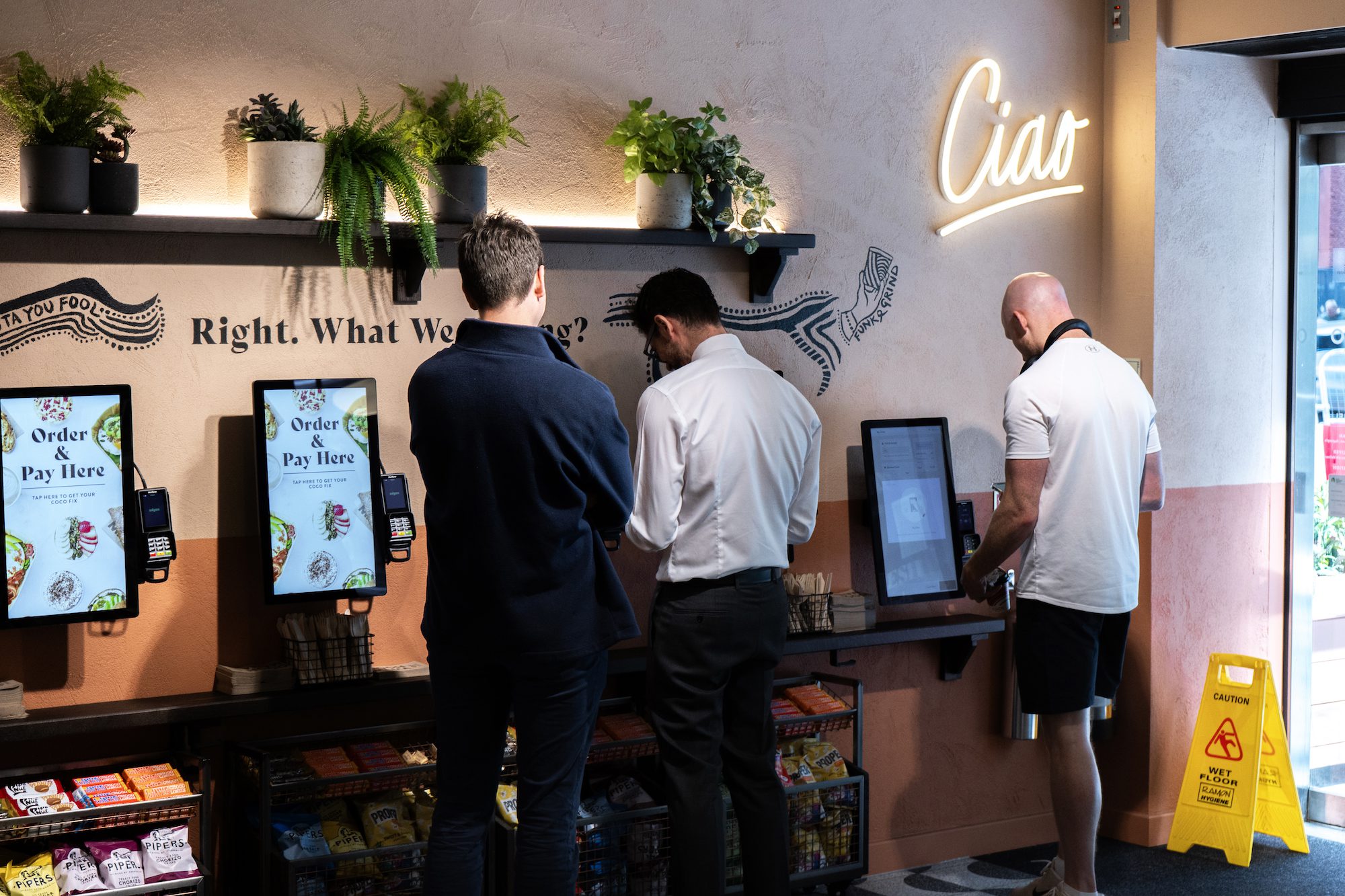
For multi-site rollouts, it is also worth knowing that it is rare for five stores to go live on the same day. Typically, you are looking at one store at a time, over consecutive days. That gives you the chance to catch anything from site one before site two goes live. It also gives time for in-store staff to learn a new system, which is powerful.
What changes when you are already live
Switching tech on a site that is already open is a different challenge, and operators often assume it will be more disruptive than it is.
For most of what we do – menus, delivery aggregators, third-party integrations – we can build everything in the background and switch it over out of hours. The day-to-day operation of the site does not need to stop. We do the work, then turn it on when the time is right.
The one area that needs real care is payments. If an operator is moving from their existing payment provider to a new one, and something has not been set up correctly or tested properly in store, there is a risk that the site cannot take payment. That is the scenario we plan hardest to avoid. Everything else can usually be handled cleanly in the background. Payments need extra time and extra testing, and I would always build more of both into the schedule than you think you need.
The goal is simple: to make the switch as seamless as possible for your team.
The handover is not the end
When a store goes live, the project manager runs a handover with the account manager who will own that relationship going forward. If there are menu issues, aggregator questions, or payment queries in those early weeks, the onboarding team is still there.
The other thing worth knowing is that nothing you set up at implementation is fixed. One of the things we make a point of saying throughout the project is that the setup is a starting point, not a permanent state.
Once you have a few weeks of data, you may want to adjust – a modifier moved, an upsell added, imagery updated. The system is built for that flexibility. And if you are not confident making changes yourself yet, your account manager, or our support team can guide you, with help articles available whenever you need a refresher.
For operators rolling out across multiple sites, the relationship continues well beyond site one. The implementation does not close because one store is live.
Training is woven in throughout
Training does not happen at the end. From the moment we start building, we are showing you how the system works. As we complete different sections of the menu, we walk you through it. When we set up delivery aggregators, we create test stores, show you what has been done, and explain why.
There is also a more structured block of training towards the end of the project, usually run by the project manager, covering the full system. Typically this goes to one or two people on your side. An ops manager, or a dedicated menu manager. The session is recorded so it can be shared internally across your team and across your estate.
What is coming in the next year
The implementation process is about to get more powerful and more demanding at the same time.
It is evolving, with new technology and AI-assisted tools helping teams work faster and more efficiently. Vita Mojo’s AI Analyst Scout can already read data from your estate once it is in the system and identify patterns that would take much longer to spot manually. As smart menus and dynamic pricing become more common (menus that adjust based on time of day, sales mix, or external conditions) operators will need to bring more to the implementation. Not just the menu sheet, but their data, their patterns, and their knowledge of what works when.
The human element of implementation is not going away. AI can help us build and optimise, but someone still needs to understand your business, make decisions about your menu, and own the relationship between your operation and the technology.
By reducing time spent on manual configuration, AI can allow implementation teams to spend more time working with operators to design menus that deliver a great customer experience while remaining operationally efficient. As the system’s capabilities grow, the collaboration between the operator and the implementation team will matter more, not less.
And in the end, it always comes back to the menu. It is what your customers see. It is what your kitchen acts on. It deserves more time and thought than most operators give it going in, and that is only going to be more true as what the system can do keeps expanding.